
Materials for final assignment

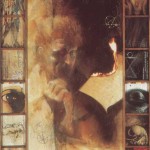
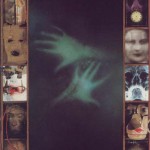
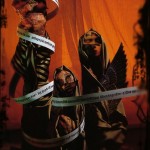
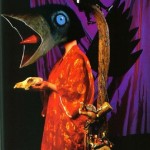
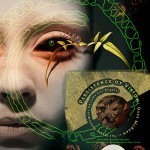
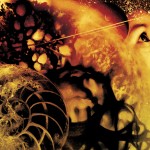
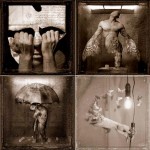
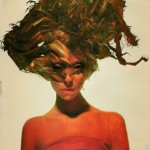
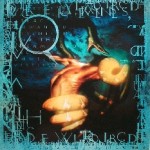
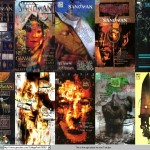
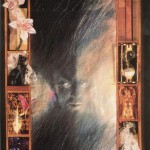
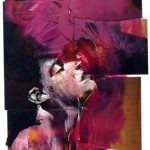
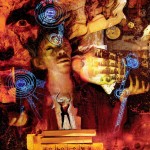
Dave McKean

Some basic tips to get started with Photoshop:

Open Photoshop.  Next, click  file > new > create a name, set the width to 11 inches and the height to 17 inches, set the resolution to 300 pixels/inch > make sure color mode is RGB > press OK

Guides: Before you get started, add new guides to create a border.  Click view > new guide > then create four guides: two vertical guides, one at .5 inches and one at 10.5 inches.  Then create two horizontal guides, one at .5 inches and one at 16.5 inches.  You can create more guides if you want as you work by dragging in from the rulers.  To delete a guide simply drag it out of the workspace. To show or hide guides, click command ;

Cutting and Pasting: Save a collection of JPEGS to the desktop.  To open an image in photoshop, simply drag it onto the blue PS icon.  To cut and paste an image into your workspace, click on the image you want to add and hit  command A to select all and then command C to copy.  Go to your workspace and press command V to paste.  To deselect, press command d.

Layers: When you paste a new image into your workspace, a new layer will automatically be created. If you can’t see the layer window then click window and be sure that layers are selected. As you add images you will see that the layer window can quickly become overly complicated.  Notice at the bottom of the layers window the folder (for organizing layers), the trash can, and the button for adding new layers.  You can organize your arrangements by naming the layers… do this with a control click in the layer window, then select layer properties.

Navigation: To zoom out press command –   to zoom in press command +.  Press command 0 (zero) to fit the image on the screen. To move around in the workspace, hold the spacebar down (notice the little hand) and use the mouse to drag your viewing area to where you want it.

Move: To move your newly pasted image around, click V to select the move tool.  Click and drag the image to where you want it.

Background Color: To change the color of your background, select the background layer.  Next, click on the paintbucket tool.  In the tool palette you can see two swatches of color at the bottom.  Click on the foreground color, select the color you want in the dialogue box.  Finally, with the paintbucket tool, click on the background to apply this color.

Tranformations: To transform an image, in the layer window hold command and click on the layer icon—this will select the contents of the whole layer.  Click edit > transform, and then select scale, rotate, skew, etc. to do what you want to the image.  Once you’re happy with the transform, press enter to apply the change.  To deselect, press command d.

Undo: Of course, at any point you can press command z to undo an action.  If you press command z again it will redo the action.  If you want to undo multiple actions then press alt command z—this will allow you to step backward as far as you’d like.

Trim with the Lasso: To trim away parts of an image, use the lasso tool.  I usually opt for the polygonal lasso for greater control.  Be sure you have the right layer selected, then make multiple clicks to select the area you want to cut away.  You normally need to zoom way in to do this well, so your space bar will be really important for moving around. You’ll need to return to where you started to make an enclosed loop.  After you create your loop, if you decide that you want to include more in your selection then hold the shift key (notice the +) and select the area you want to add.  If you want to select less then hold down the alt or option key (notice the -) and then select what you want to remove from the selection.  When you’re ready press command X to delete the selection.

Saving: Save your file to your netspace.  Programs sometimes crash, so be sure to save often!
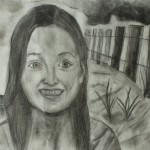
“Desiderata”, written by Max Ehrman in 1927

Go placidly amid the noise and haste,

and remember what peace there may be in silence.


As far as possible without surrender

be on good terms with all persons.

Speak your truth quietly and clearly;

and listen to others,

even the dull and the ignorant;

they too have their story.

Avoid loud and aggressive persons,

they are vexatious to the spirit.


If you compare yourself with others,

you may become vain or bitter;

for always there will be greater and lesser persons than yourself.


Enjoy your achievements as well as your plans.

Keep interested in your own career, however humble;

it is a real possession in the changing fortunes of time.

Exercise caution in your business affairs;

for the world is full of trickery.

But let this not blind you to what virtue there is;

many persons strive for high ideals;

and everywhere life is full of heroism.


Be yourself.

Especially, do not feign affection.

Neither be cynical about love;

for in the face of all aridity and disenchantment

it is as perennial as the grass.


Take kindly the counsel of the years,

gracefully surrendering the things of youth.

Nurture strength of spirit to shield you in sudden misfortune.

But do not distress yourself with dark imaginings.

Many fears are born of fatigue and loneliness.


Beyond a wholesome discipline,

be gentle with yourself.

You are a child of the universe,

no less than the trees and the stars;

you have a right to be here.

And whether or not it is clear to you,

no doubt the universe is unfolding as it should.


Therefore be at peace with God,

whatever you conceive Him to be,

and whatever your labors and aspirations,

in the noisy confusion of life keep peace with your soul.


With all its sham, drudgery, and broken dreams,

it is still a beautiful world.

Be cheerful.

Strive to be happy.

Published
Categorized as News

Final Writing Assignment – Art and Narrative Explorations – Due 4/24

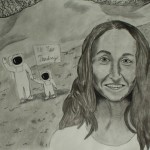
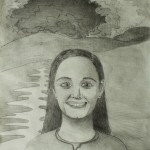
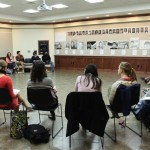
This final writing assignment is a response to our dinner meeting with Sue Ellen Henry’s Multiculturalism in Education class. In 300 words, please address the questions below that interest you the most, and email your written response to the professor in .doc format before the start of class on 4/24.

  • What main ideas did you talk about with the other students at your table?  Did your group arrive at any key conclusions or ideas?
  • What parts of the larger group discussion interested you the most?  Why?
  • Did your artwork communicate in the way that you expected?
  • Did the process of making this drawing or the final discussion influence the way that you think about art (for example: the function of art, the limits or potential of artistic communication, the connections between art making and society)?
  • Did the process of making this drawing or the final discussion affect your ideas about identity, stereotypes, or human interactions in general?
  • Were you surprised by any aspects of the discussion? If so, then please describe your reactions.
  • Through this final interaction with Sue Ellen’s class, did you learn anything about your own preconceptions regarding identity?
  • What else did you learn from this discussion?

Writing Assignment #3 – Art and Narrative Explorations – Due 4/10

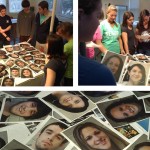
You started out this project by selecting a person’s photo, and based on the person’s appearance you formed an idea of who they might be.  From the stack of available narratives, you chose one that you deemed to be the best fit.  You read the narrative and reflected on it.  You compared and contrasted the narrative you chose with the photo you selected.  You have, at this point, done a great deal of thinking about the details of this person’s life and identity, and this background research will enable you to make a highly meaningful portrait.

Step 1: What location/situation would say the most about this person’s life, identity, and personal history?  In 50 to 100 words, please tell what context you’ll depict your person in.  Explain your reasoning.  Please email this assignment to the professor before the start of class on Tuesday, 4/10.

Step 2: Print out some images of the context that you’ve chosen.

Step 3: Cut out the photo of the person you’re working with and create a collage that puts the person in the context you’ve described above.  Please bring your collage to class on Tuesday, 4/10.  You will begin your large-scale drawing from the collage at the start of this class session.